45%
of 1–2★ reviews are about price, paywalls or billing.
Usually after a long quiz, a staged “building your plan” screen, and no free trial. The complaint is not that the app costs money. It is that the price was hidden until after the effort.
Android beta · for the evening you meant to spend reading
Scrolldoom locks the apps that eat your evening for one honest focus session — then hands you a receipt: pages read, minutes focused, opens stopped. No account. No guilt. No “just trust us.”

01 / The problem
We read 5,616 recent reviews of 25 screen-time apps. The same three failures kept showing up — and none of them were “the block is too weak.”
45%
Usually after a long quiz, a staged “building your plan” screen, and no free trial. The complaint is not that the app costs money. It is that the price was hidden until after the effort.
21%
The most damaging version is quiet: the shield stops firing, the app still says “on,” and the user only finds out when they needed the block. That is a trust failure, not a bug.
0
Every blocker asks you to trust the shield. None of them hand you a receipt that says what fired, what failed, and what it stopped. So we built the receipt first.
“It worked until it didn’t — and the app never said so.” The recurring story in the review sample.
Read the 5,616-review teardown02 / The loop
The first session is free and complete. No account, no card, no personality quiz. If it does not block, you should not pay for it.
Session-scoped by default. Instagram, TikTok, YouTube, X, Discord, Reddit — whatever pulls you in. Everything outside the list keeps working.
Instagram · TikTok · YouTube · Reddit · Discord
You pick the apps. Only those pause while a session runs. Everything else keeps working, and nothing is locked in.
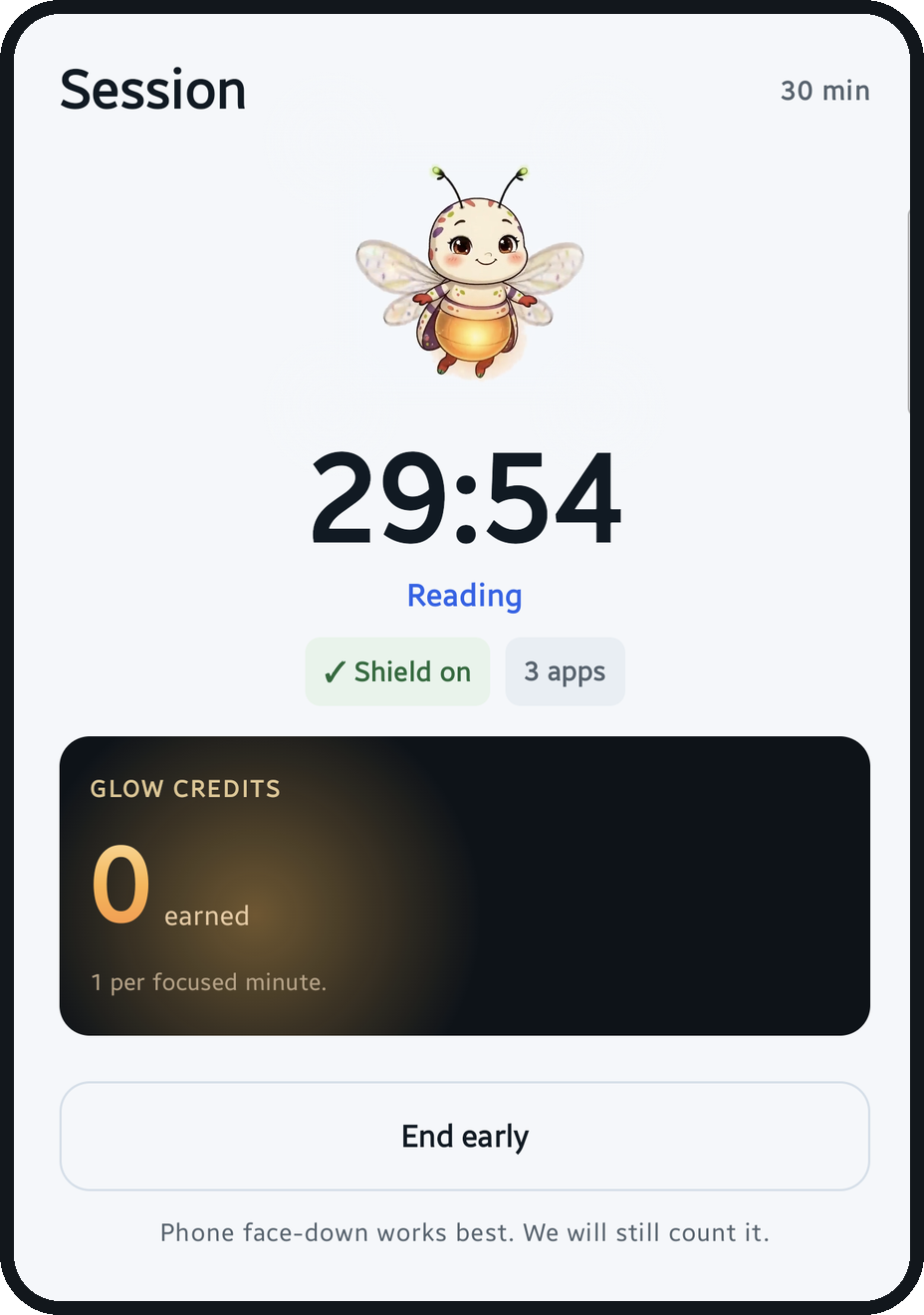
Choose a length and a task — reading, studying, exercise, just focus. The shield holds. Glow credits accrue by the focused minute. End early if life happens; the receipt says so, without a lecture.
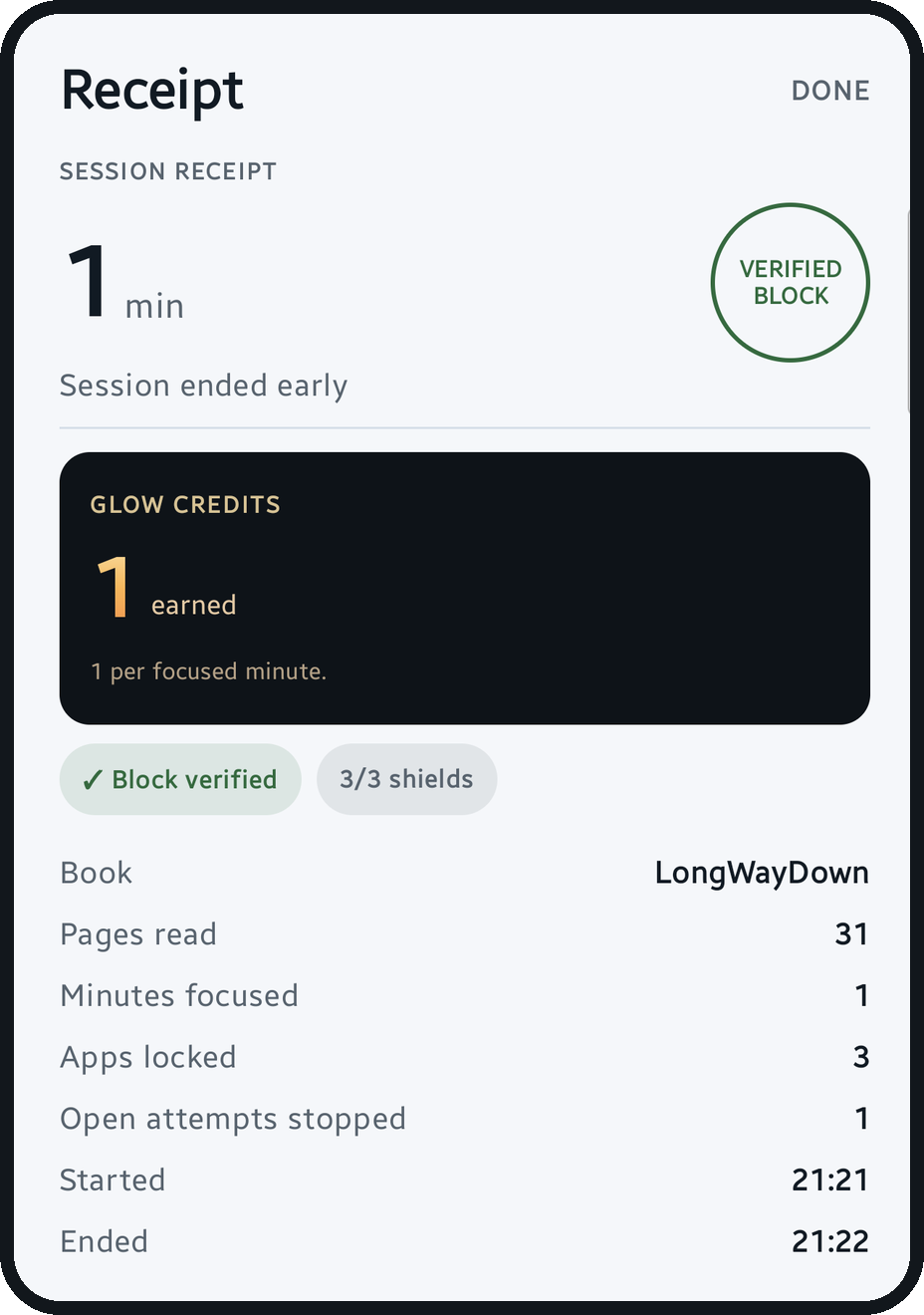
Book and pages, minutes focused, apps locked, opens stopped, started and ended. One share card with no app names and no book titles. The only screen a student voluntarily shows a friend.
03 / The receipt
Every session ends with a paper trail. Not a dashboard. Not a guilt graph. One page you can read in three seconds — and send to a friend without leaking your app list.
Block verified, shield count, attempts stopped. If something failed, the receipt says that too.
The number that matters is what you read, not how long you sat near a book.
The share card never includes app names, book titles, or anything you might not want a friend to see.
04 / Blocks
Most apps have two settings: on and off. Scrolldoom has three block states — sessions, always, watched — and the Blocks screen keeps the counts honest.
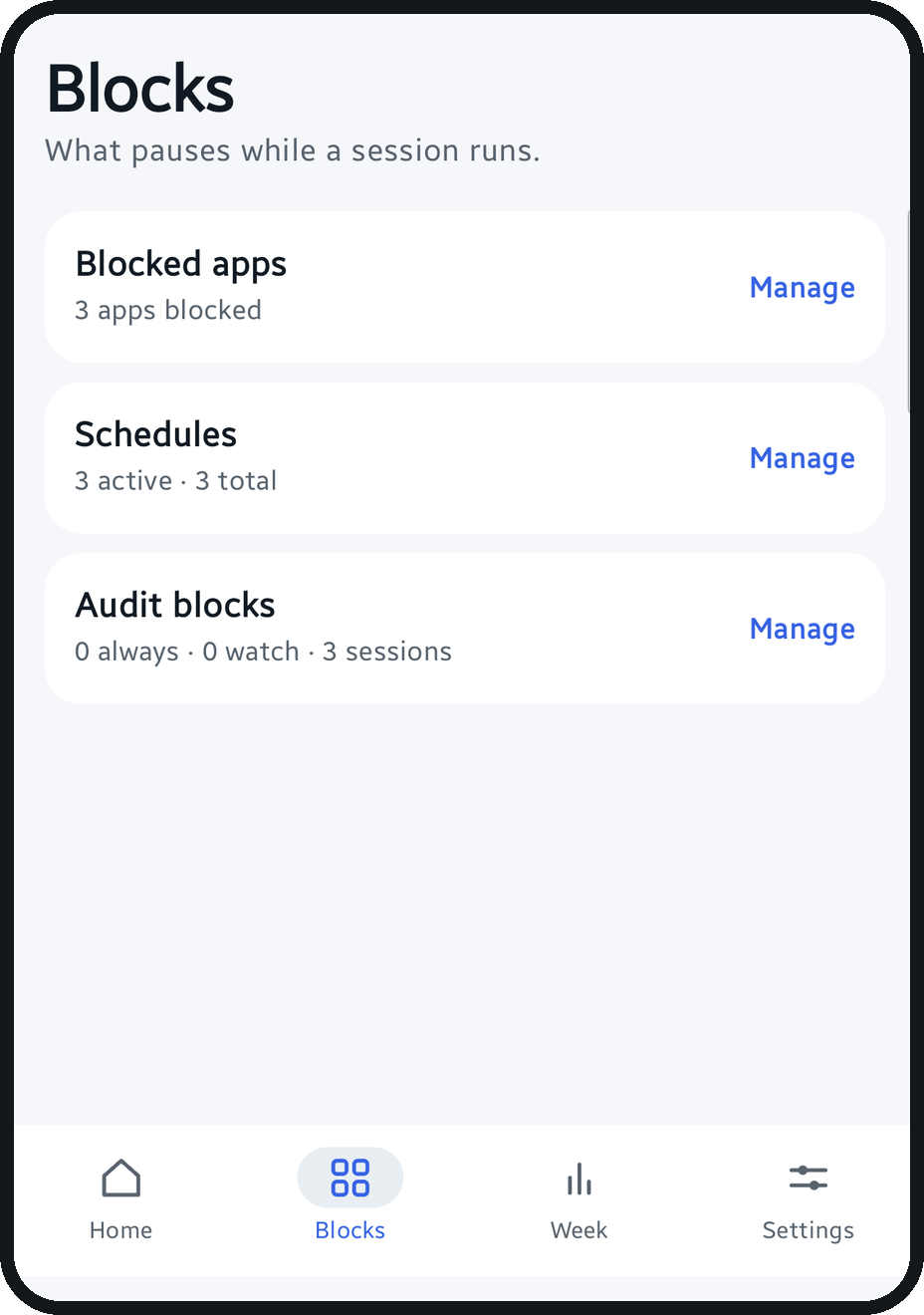
On Android, Scrolldoom can hold notifications from blocked apps until the session ends. Calls, messages and alarms always come through. Nothing is read. Nothing is lost.
Off by default. Offered after your first receipt, never during onboarding.
The receipt is for the work, not the confession. Post your pages. Keep your app list to yourself.
Life happens. A short session is still a session. The receipt reads “session ended early” — never “failed.”
LUMEN · FIREFLY, NOT HALL MONITOR
05 / Lumen
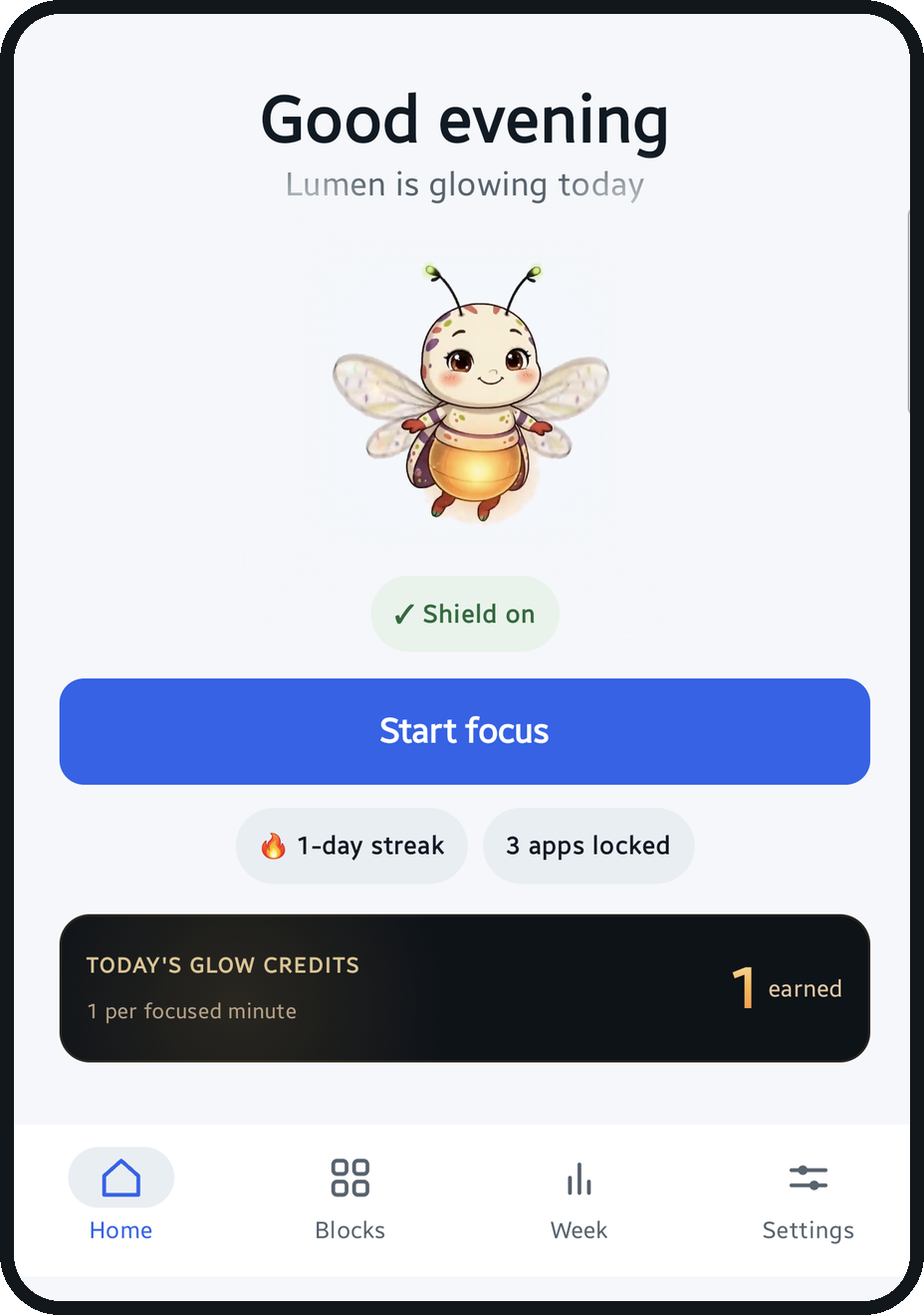
Lumen glows with the pages you actually read. It does not send guilt notifications, count your worth, or compare you to strangers. It is a mascot, not a manager.
 Warming up
Before the first session of the day.
 Charging
During a session. The lantern fills.
Glowing
After the work. Brighter with every page.
BANNED FROM THE BUILD
“Lumen is fading.” “Don’t let Lumen down.” “Your firefly misses you.” We have a list. It stays empty.
06 / Privacy
No account. No feed. No server for your sessions. Scrolldoom reads the app name to know when to raise the shield — never your screen content.
You can revoke any permission. The app will tell you when the shield is unverified.
07 / Pricing
The free tier is real. The price shows up after the value, not before it. No weekly plan, no countdown, no second offer when you close the sheet.
$0/forever
One full session a day. Blocking, pages and receipts included.
$9.99/year
About $0.83/month. Seven-day free trial. Cancel in two taps.
$29.99/year
About $2.50/month. Seven-day free trial. One phone, one student.
The pricing promise. No weekly tier. No countdown timer. No “50% off for the next ten minutes.” No second offer after you close the sheet. The free tier stays free.
USD · STORE PRICING MAY VARYROADMAP · iOS
We plan to build a proper iPhone version on Apple’s Screen Time APIs. A real Screen Time build — no “coming soon” button that does nothing.
Yes. When you start a session, the apps you chose are covered by a shield. The app uses Android’s usage access to notice opens and an overlay to draw the shield instead of the feed. The receipt tells you whether the block was verified — and if it was not, it says so.
The app name and usage counts on your phone. It reads package names to know when a blocked app opens. It does not read your screen content, messages, photos, or what you type, and session data stays on the device.
No. You can install, pick apps, run a session, and keep a receipt without an email or account. The beta invitation email is just for the invite.
Use the emergency pass. It takes three taps, has a 60-second cooldown, and is logged on the receipt. It is deliberately awkward, but it is not hidden — hiding it is how blockers lose trust.
Not yet. The beta is Android-first, and we plan to build iOS later. A real iPhone blocker needs Apple’s Screen Time entitlements and a different enforcement model; we would rather ship an honest Android beta now than an iPhone app that cannot block reliably. If you’re on iPhone, tell us and we’ll keep you posted when it exists.
No. It is a focus tool, not a medical device and not a diagnosis. If phone use is affecting your health or safety, talk to a professional. We will never claim to treat ADHD, anxiety, or “doomscrolling.”
Yes. Subscriptions are handled by the store, and cancel takes two taps. The free tier stays available even if you cancel. No retention gauntlet.
10 / Get the beta
Android beta invitations are opening in waves. Tell us what phone you use and we’ll send one thing: the invite. No newsletter, no drip campaign.
Invite-only · Android 8.0+ · Free first session · No account · iOS planned later